Versionshinweise
Neu in Tryptify
Die Versionshinweise aller Versionen, die neueste zuerst. Jede Zeile ist als Neu, Geändert, Entfernt oder Behoben markiert; alle Details stehen im vollständigen Changelog. Neueste Version herunterladen.
Tryptify 1.9.5 Latest
2026-10-23
Tryptify Connect: your phone and tryptify.com see each other, move the music between them at the same second, and follow each other's song. Select on every song list, with uploads of a whole selection to Tryptify Cloud. My server's songs and search, and a password for your own TrypT HiFi server. On tryptify.com, a web player with a full-screen view of the lyrics and the app's waterfall.
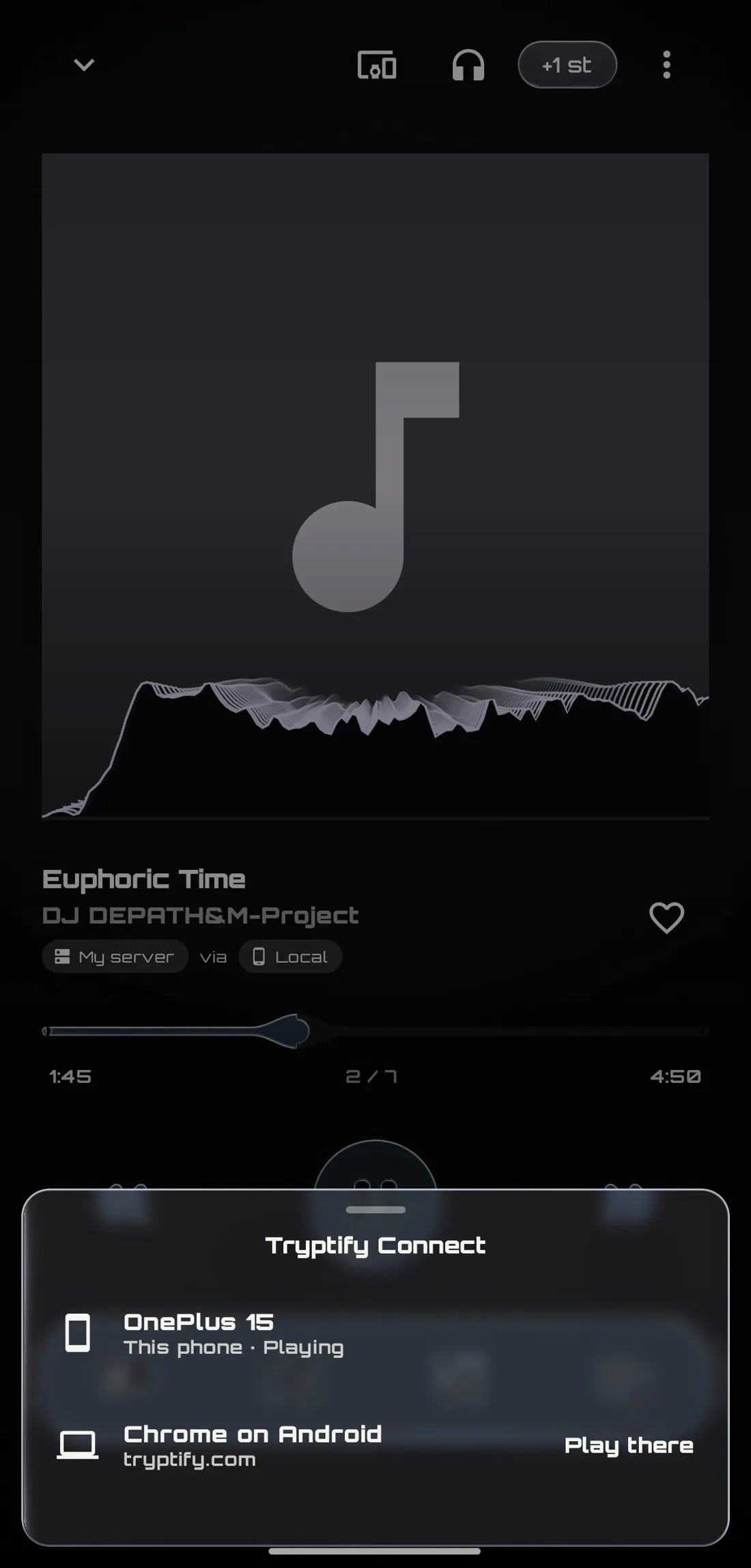
Tryptify Connect
 |
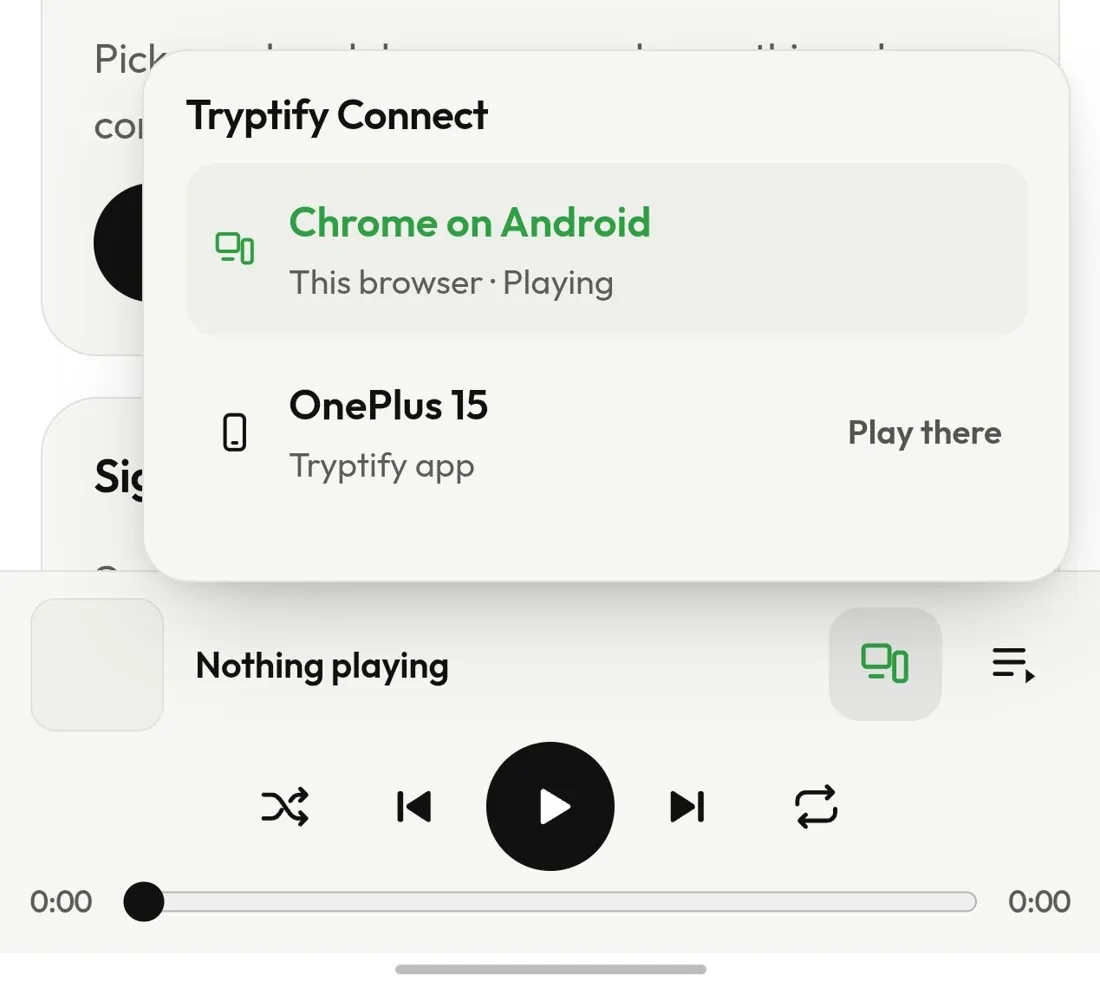 |
- New Your devices, together. Signed in, your phone and tryptify.com/player see each other. The Devices button in the player lists them and which one is playing.
- New Move the music to any of them with a tap, at the same second, the queue coming too, or take it with Play here.
- New Follow the other device. While your phone is quiet and another device plays, the mini player shows that song with its progress running in step, and its buttons steer it.
- New A seek bar for the other device, in the Connect panel, with the elapsed and total time.
- New One plays at a time. When another device starts playing, this one pauses.
- New Next to no battery. Connected only while the app is on screen or playing.
Library
- New Select on every song list, from a song's ⋮ menu: the Local page, My server, local albums, artists and genres, and search results from your phone or your server. On a genre chart, hold a row.
- New A selection keeps its songs on the Local page's long Songs list, however far you scroll.
Your own music server
- New A Songs list in Library › My server, beside Albums and Artists.
- New Search your server's songs as you type.
Tryptify Cloud
- New Upload a whole selection. The selection bar's cloud button sends every picked song that's a file on your phone, with one message when they're queued and one when they're done.
- Changed Tryptify Cloud folds under its title in Settings › Connections.
Connections
- New A password for your server. A TrypT HiFi server can ask for one; give it under the address in Settings › Connections › Add API. It stays on your phone and is never synced.
- Changed Plain http:// only to servers on your own network, so a sign-in never crosses the internet unencrypted.
Trypt Mania (Beta)
- Changed No chart server built in. Charts, and lyrics timed by ear, use a server you add under Settings › Connections. Multiplayer's rooms server is still built in.
Theme Store
- Changed Cards show the lyrics and the player from a theme's picture, so more fit a screen. A theme's own page still shows it whole.
The app
- Changed Logs and crash reports hide sign-ins.
- Changed Android backups leave every sign-in out.
On tryptify.com
- New A web player at tryptify.com/player: your files, your music server, Tryptify Cloud and Trypt HiFi, through the app's AutoEQ.
- New A full-screen player, from the bar's expand button: the cover and its lyrics, timed to the second, or the app's spectrum waterfall.
- New Tryptify Connect in the browser, following your phone's song on the bar, with a seek bar and controls.
- New Your Cloud plays in the browser, at tryptify.com/account.
Tryptify 1.9.4
2026-10-21
Trypt Mania, a rhythm game on your own music, with multiplayer rooms. Listening parties, in the app or a web browser. Your own music server and Tryptify Cloud. Bluetooth sync for the whole app. Music links, the Theme Store, the CRT effect, a typography table, your library as a galaxy, and Italian.
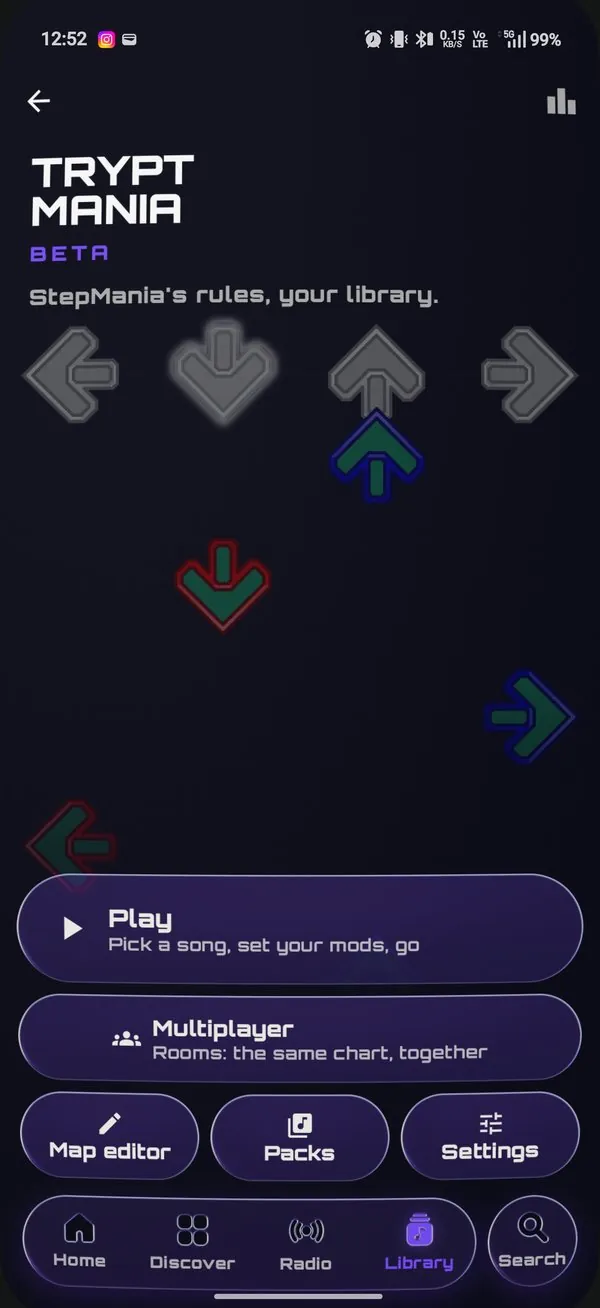
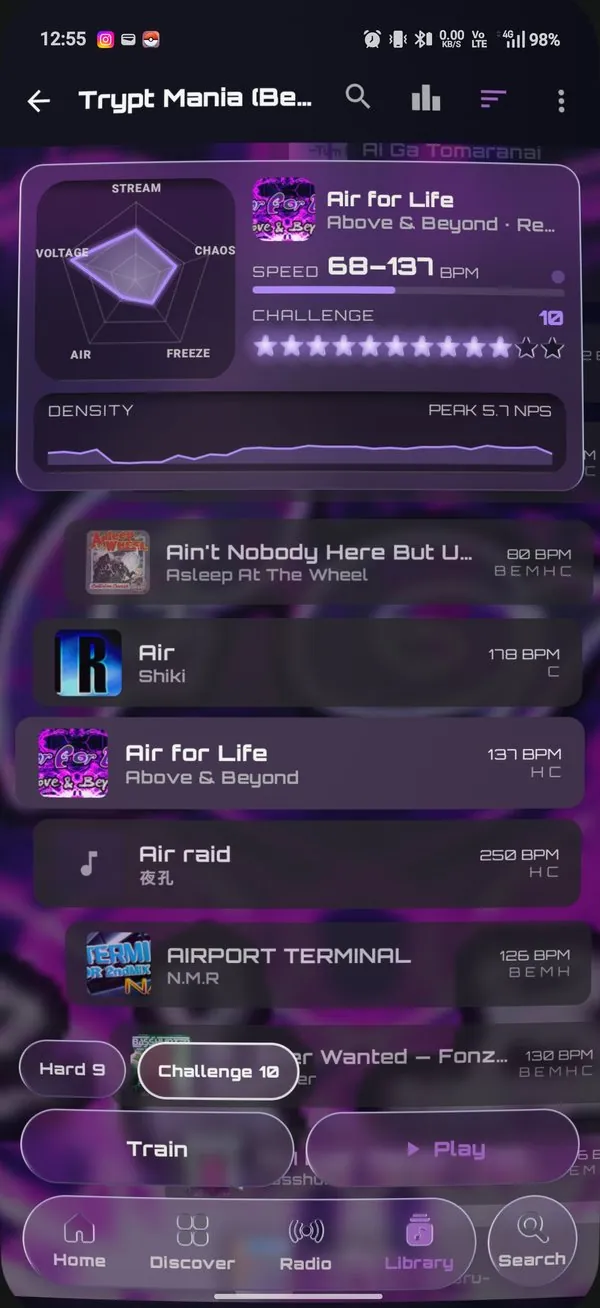
Trypt Mania (Beta)
 |
 |
- New A StepMania-style game in Library › Local, played on your own songs.
- New Charts made for you on the built-in chart server, in five difficulties; Slow (CPU) or Fast (GPU).
- New StepMania packs from StepMania Online, a ZIP or a folder. Your own charts save as a pack.
- New The music wheel and song card, with previews from each song's drop.
- New StepMania's rules: dance points, grades AAAA to F, Judge and fail types, plus player options before every song.
- New Points that grow with your combo, as in osu!: the 26th step of a combo is worth twice the first.
- New Retro glass noteskins, god rays on every hit, and TV shaders over the play.
- New Played over your player's background, in the colour of the song you pick.
- New Results, high scores and a leaderboard, with a timing curve and Centre my timing.
- New Training Ground and a map editor.
- New Keyboard play and Tap to sync.
- New Multiplayer rooms on your account, with a live scoreboard, and the host can send the song to anyone missing it.
- New Landscape, with a lane width you set.
Listening parties
 |
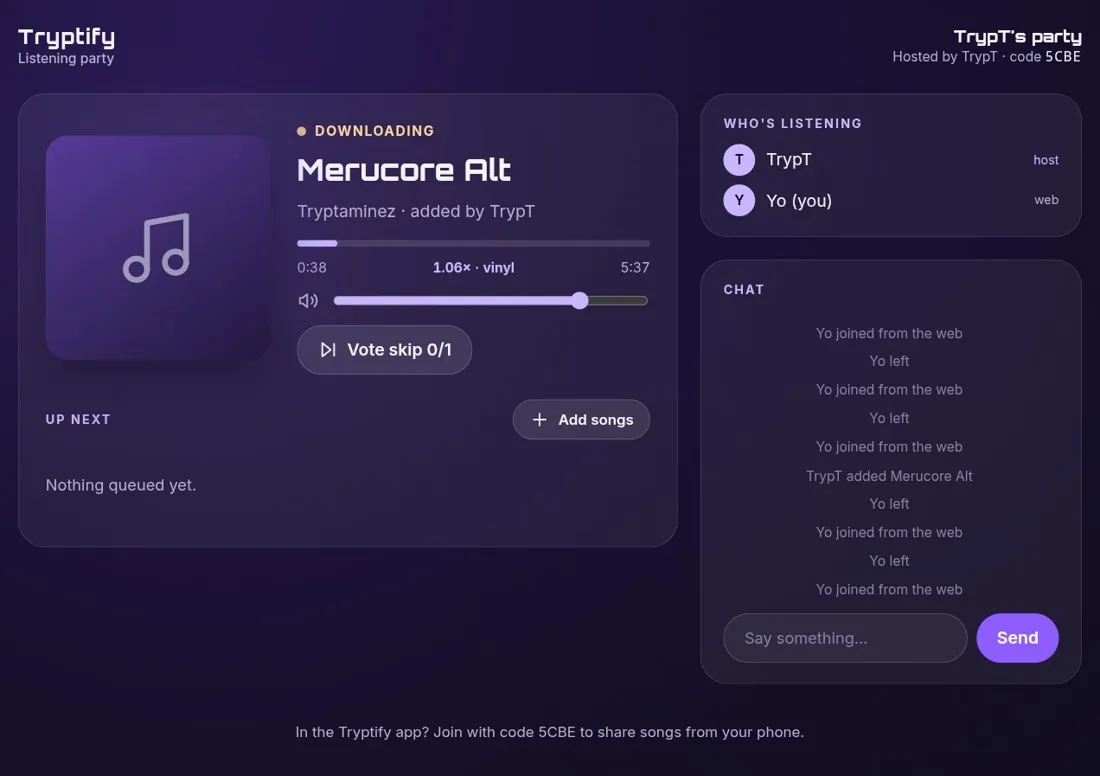 |
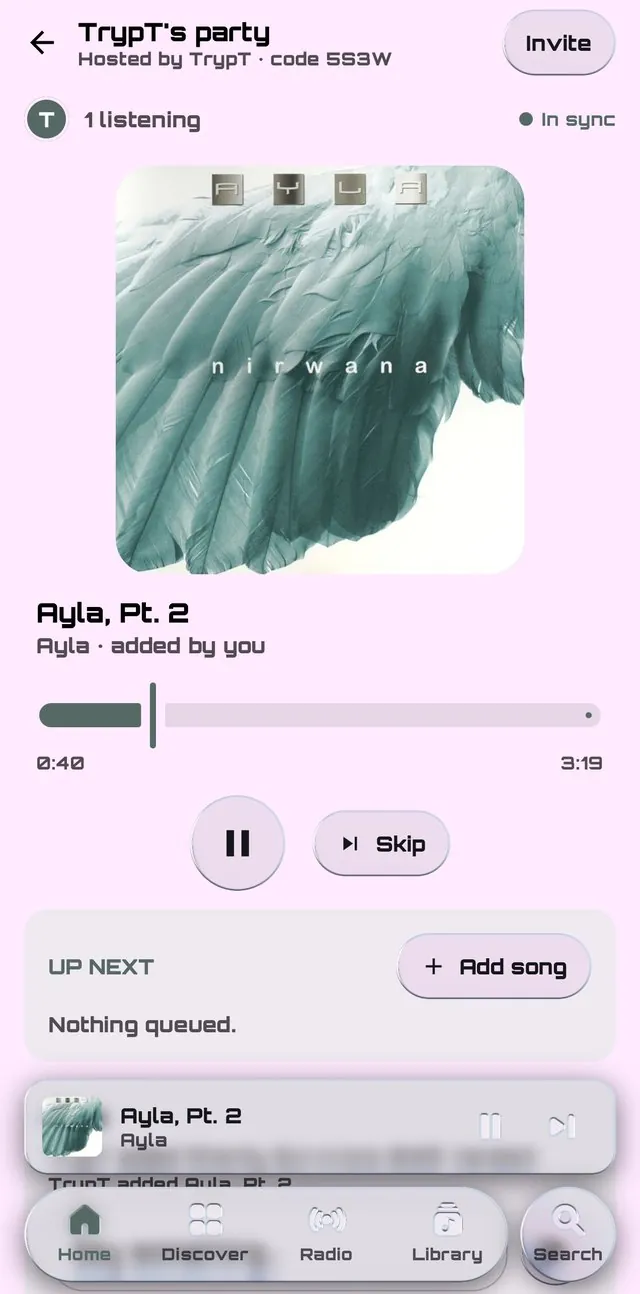
- New Listen together, in sync. Start a party from your profile and send its code or invite link; everyone hears the same moment of the same song.
- New Guests in the app or a web browser. An invite link opens in the app; anyone without it joins from the web.
- New A shared Up next, with Add to party from any song menu, many songs at once, and vote skip.
- New Chat, in a panel under Up next.
- New Your phone's songs, shared. Files and downloads you add are streamed to guests without them while they're queued. Nobody keeps them.
- New The host's speed for everyone, vinyl style or not, and a listener plays the host's exact Qobuz or Deezer song.
- New Host controls: hand the host's seat on, take someone out, or end the party for everyone.
- New Stays connected in the background, with a round button back to the party over Search.
Bluetooth sync
- New One delay per device, in Settings › Audio › Bluetooth sync. Measure it with Trypt Mania's tap test, or nudge it 5 ms at a time.
- New The whole app waits for it: lyrics, music-linked visuals, the visualizer and Trypt Mania.
- Removed The separate lyrics and visualizer delay sliders. Your value carried over.
Equalizer
- Changed Precision AutoEQ has target pills and a filter editor under its graph: swipe glass pills for frequency, gain and Q.
- New Export to Nothing Ear as a QR code for Nothing X.
- Fixed The preamp now turns bass and treble down too.
Music links
- New Effects that move with the music. Link a setting with the ♪ beside its slider, or press and hold it, and it follows the kick, vocals, snare, hi-hats or a range you pick, in Player Visuals Studio and Settings › Appearance.
- New Mixer knobs that move with the music, saved with the mix.
- New One page lists every link, with pause, change and remove.
Theme Store
 |
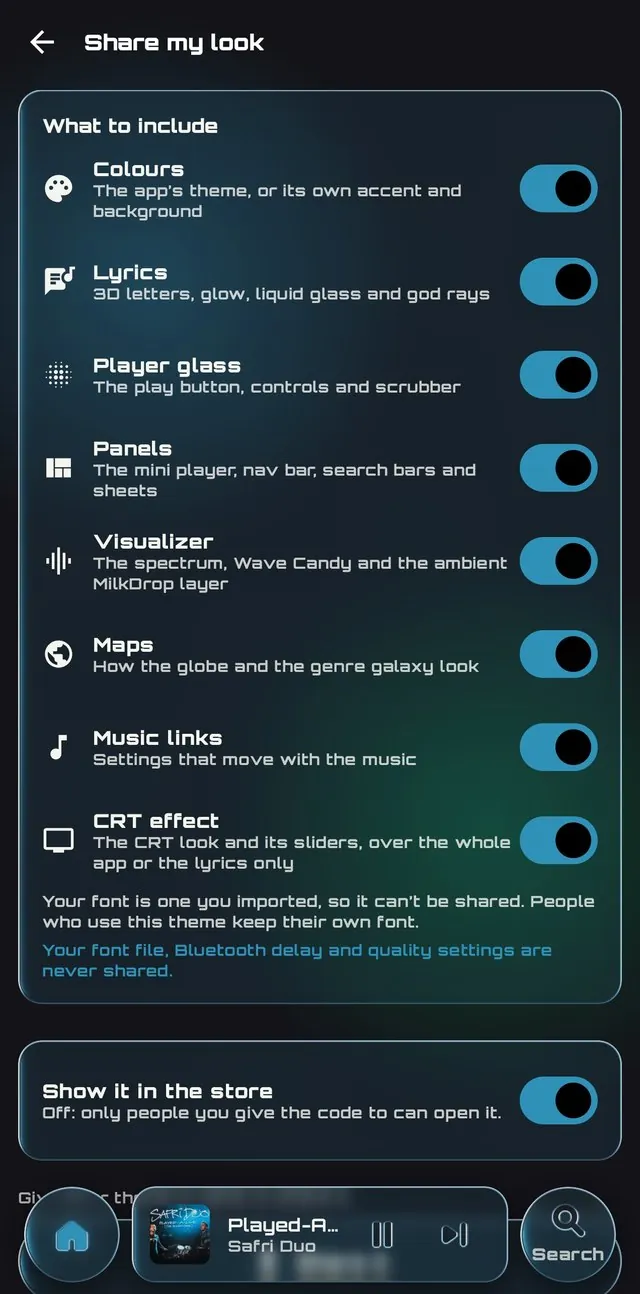 |
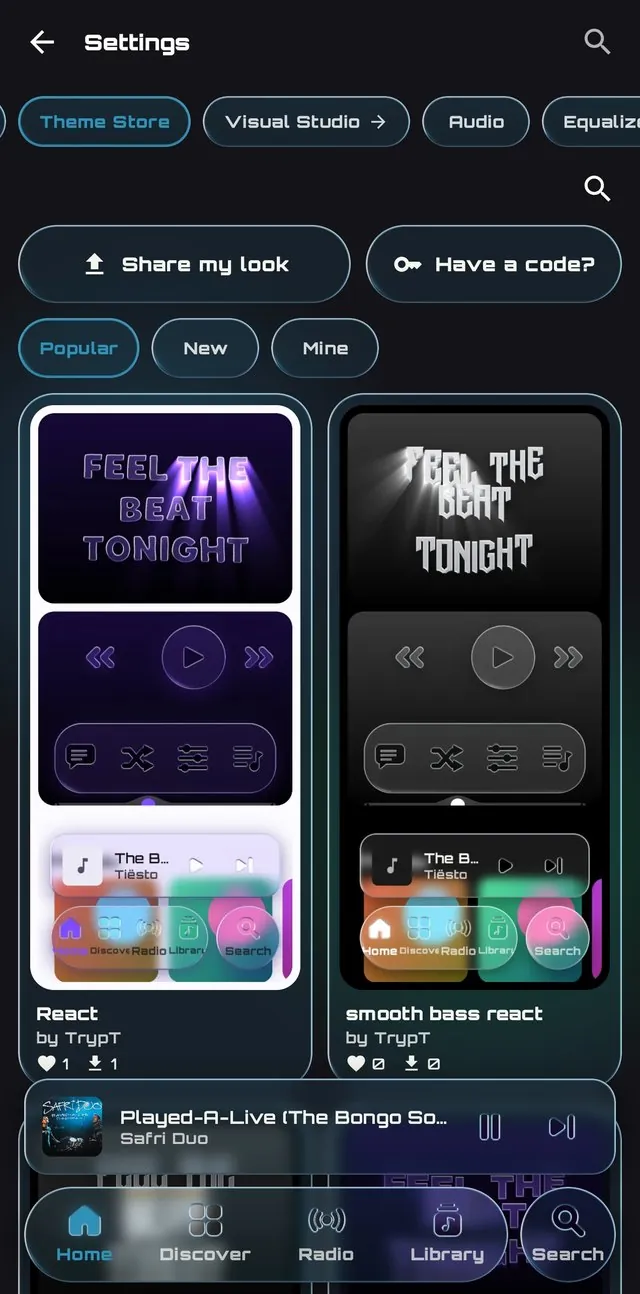
- New Share your look as one theme, in the store or by code. Nothing personal goes with it.
- New Choose what goes in it: colours, lyrics, player glass, panels, the visualizer, maps, music links and the CRT effect, one switch each. Your font file, Bluetooth delay and quality settings are never shared.
- New Try someone else's, live on the player first, part by part, with one-tap undo.
CRT effect
- New The whole app, or only the lyrics, through an old TV: Scanlines, CRT, CRT-Royale and more. Android 13+.
- New Curve, tilt, zoom, bezel and glare over any look; taps still land where you see.
- New Presets to save, export and import. Themes can carry the effect too.
- New Lyrics on a curved tube.
Look
- Removed The old frosted glass on lists. Lists are plain Material 3 surfaces.
- Changed Lighter titles over their descriptions.
- Removed The Now Playing group in Settings, which repeated other settings.
- Fixed No grey band when the mini player folds into the nav bar.
Fonts
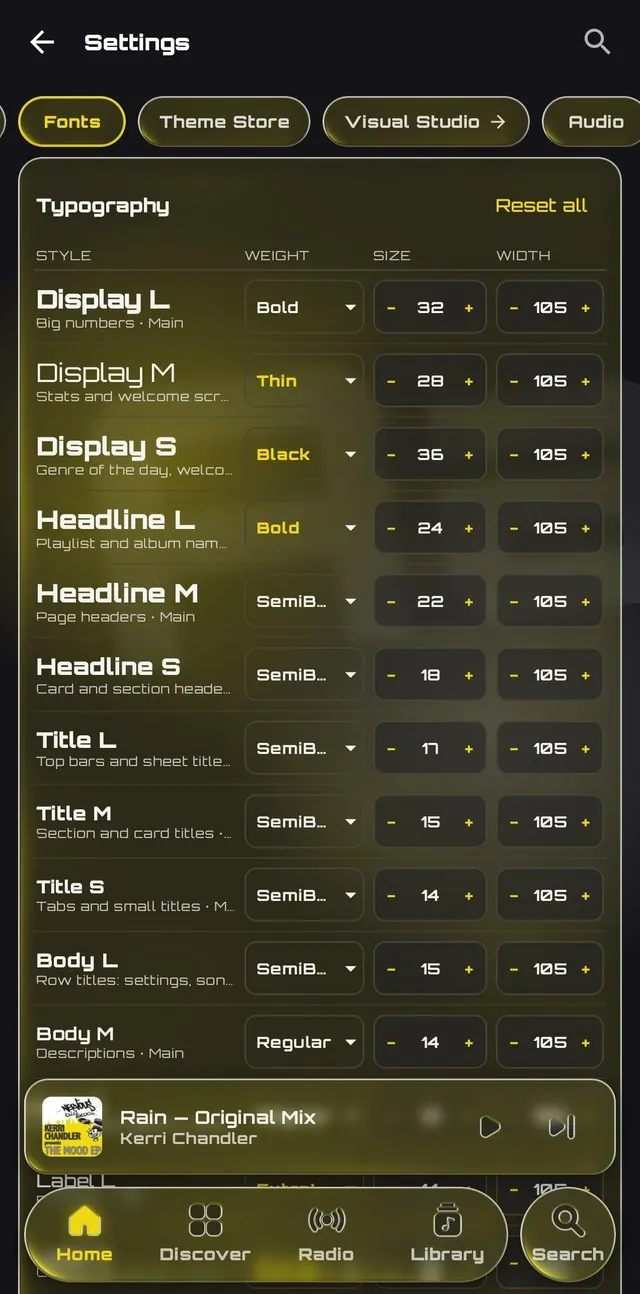
- New A typography table: fifteen text styles, each with its own font, weight, size, width and spacing.
- New Letter width from 70% to 130%.
- New Orbitron is built in.
- Changed A condensed Fonts page. It no longer freezes with many fonts.
- Fixed Imported fonts in all their weights.
Library
 |
 |
- New Open songs from other apps with Tryptify. Add to library keeps one in Music/Tryptify.
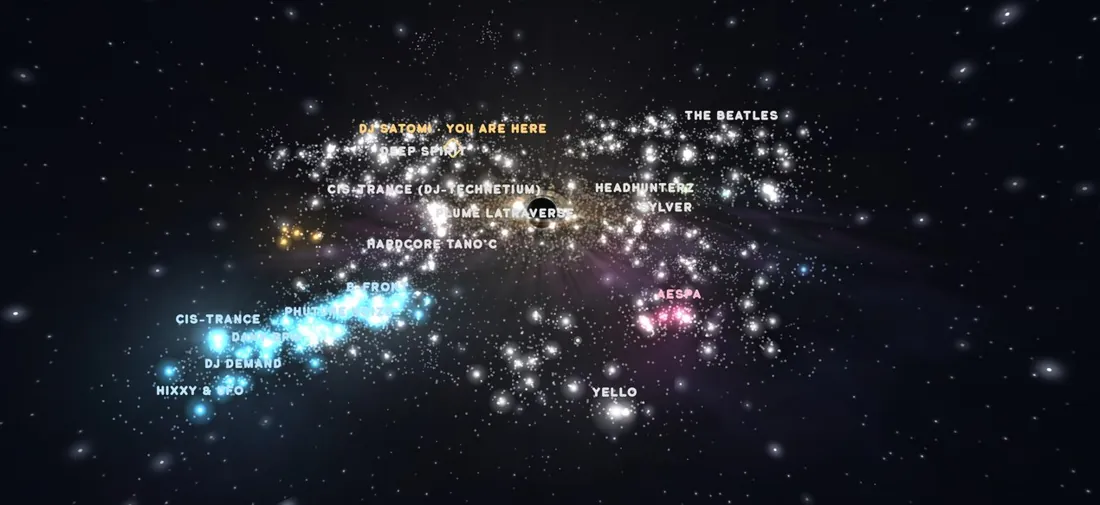
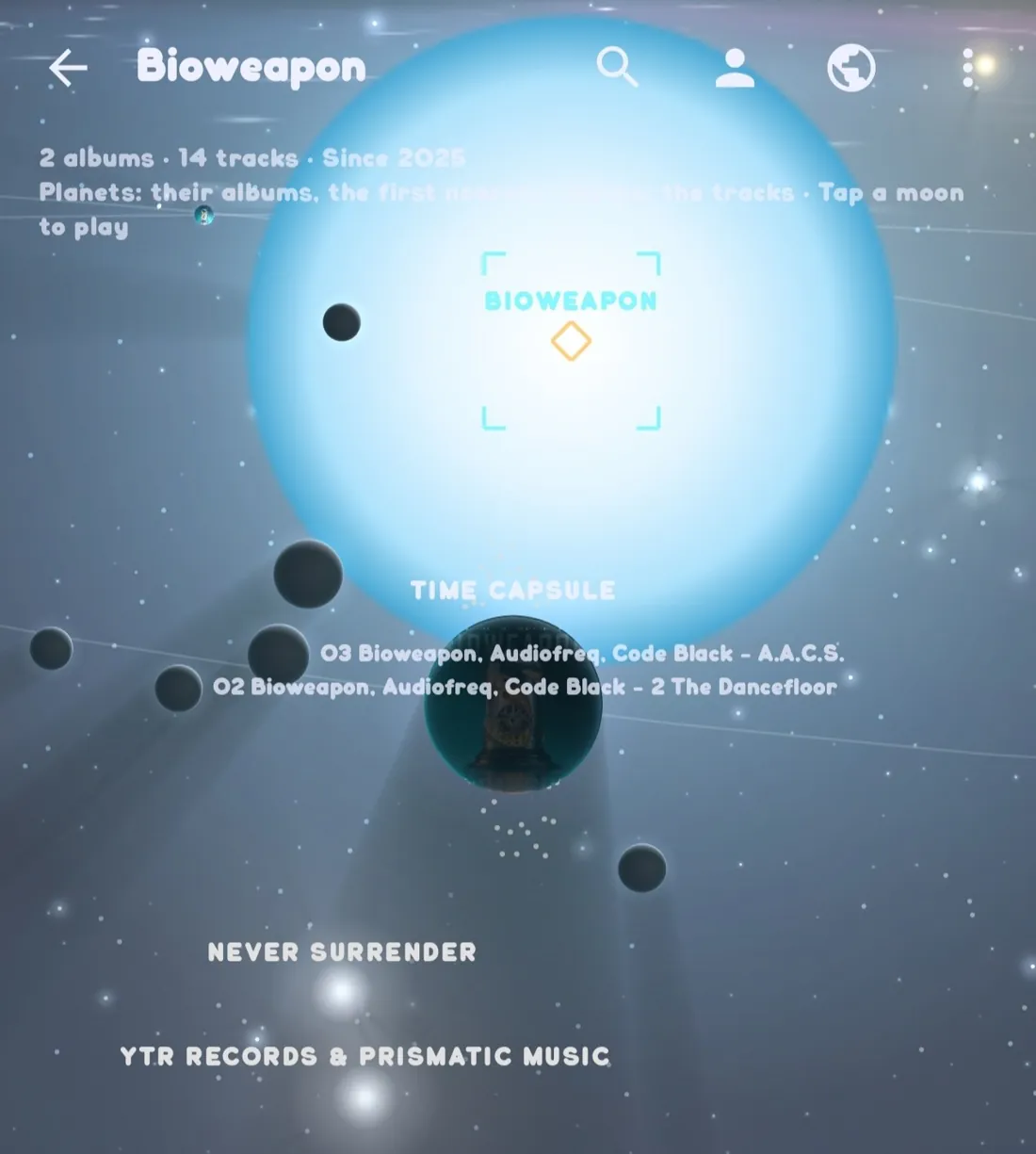
- New Your library as a galaxy: artists as stars, albums as planets, tracks as moons, drawn from their sound. Works offline.
- New Hold a song to hear it, up to 25 seconds from its drop.
- Changed Select is in the song menu, since holding now previews.
- Changed Short tracks (intros, interludes) are in your albums.
- New Search and sort Downloads.
- New Choose a song row's badges.
- New Import a Spotify playlist from its link, or with Exportify inside the app.
- New Track info: format, rate, depth and every tag.
- Fixed Recently played keeps your local songs.
- Fixed Track info for MP4 files.
Your own music server
- New Play your library from Navidrome, Gonic, Airsonic-Advanced, Ampache or any Subsonic-compatible server, under Settings › Connections › Music server.
- New My server, a Library page next to Local: albums, artists and Shuffle all. Its songs are in Search too.
- New Home addresses just work: type
192.168.1.20:4533and Tryptify uses http. - New Your password isn't stored, only a sign-in token, and neither leaves the phone.
- New How to set up, in the same place.
Tryptify Cloud
- New Your music, stored for you and played anywhere. Upload from a song's menu; your library plays in Library › My server, like your own server.
- New Files kept as you upload them. FLAC, ALAC and WAV stay lossless.
- New Plans from 100 GB, with a 7-day free trial, in Settings › Connections › Tryptify Cloud. See tryptify.com/cloud.
- New Manage or cancel your subscription from the app, and your library and devices at tryptify.com/account.
Discover
- New Search the galaxy for a genre or an artist.
- New One sky, two galaxies: your library sits in the genre galaxy's sky.
- Changed Galaxy and Timeline are two pills.
- Changed A stronger zoom.
Now playing
- Changed Long titles slide to show in full.
- Changed Glass Visualizer and Waveform buttons, and a glass speed pill.
- Changed The cover holds still on kicks.
- Changed A glass pill picks the speed unit.
- Fixed BPM at the right tempo, up past 200.
- Fixed The visualizer no longer flashes with vsync off.
- Fixed Glass corners on the audio tools sheet.
- Fixed Panels read in light themes.
Lyrics
- New Lyrics timed by ear on the server, word by word.
- New Time lyrics on the server from the player's ⋮.
- New A lyrics editor with Stamp now.
- New Word-timed .lrc beside your downloads.
- Fixed Lyrics for songs named by number, for compilations, and for your own files.
Playback
- Fixed Seeking in Apple's ALAC files.
- Changed Blends need gapless, and no blends in exclusive mode.
Exclusive USB DAC
- Changed More DACs, Apple's USB-C adapter among them, at 48 kHz 24-bit.
- Changed DACs at their full output, so the app's volume is the only one.
- Changed One volume bar, on every screen.
- Changed The DAC card shows the DAC's release.
- Fixed DACs that refused every song.
- Fixed No full-volume burst between songs.
- Removed USB DAC bit-perfect routing. Exclusive USB DAC is the one switch.
Account and stats
- New Sign in with Discord, beside Google and email, in the app and at tryptify.com.
- New Your own picture and name.
- New Listening stats, rebuilt, with more charts under Dig deeper.
- New Trypt Mania in your stats: songs played, best grade, full combos and accuracy.
- New Achievements: goals for your listening and for Trypt Mania, kept on your phone.
- Fixed Golden Ears and the Quality card agree on what Hi-Res is.
- Fixed Night is 9 pm to 5 am everywhere in your stats.
Languages
- New Italian, in Settings › Appearance › Language. Tryptify now speaks eight languages.
Settings
- Changed The Theme Store is a Settings tab, right after Fonts.
- Changed APIs in two groups: Streaming, and Trypt Mania's chart and rooms servers.
- Changed Player Visuals Studio's tabs are glass pills.
- Changed The CRT effect and the glow behind album art can move with the music from Settings › Appearance too.
Tryptify 1.9.3
2026-10-21
Liquid glass across the app, god rays on the lyrics, a Discover page rebuilt around a genre galaxy you can fly through, and TIDAL working properly again. Lyrics come from more places and keep time at any speed, radio settings make sense, playlists can repair themselves, downloads are filed by artist and album, USB DACs get a volume of their own, and your plays reach your account.
Each change is marked New, Changed or Fixed.
Look and feel
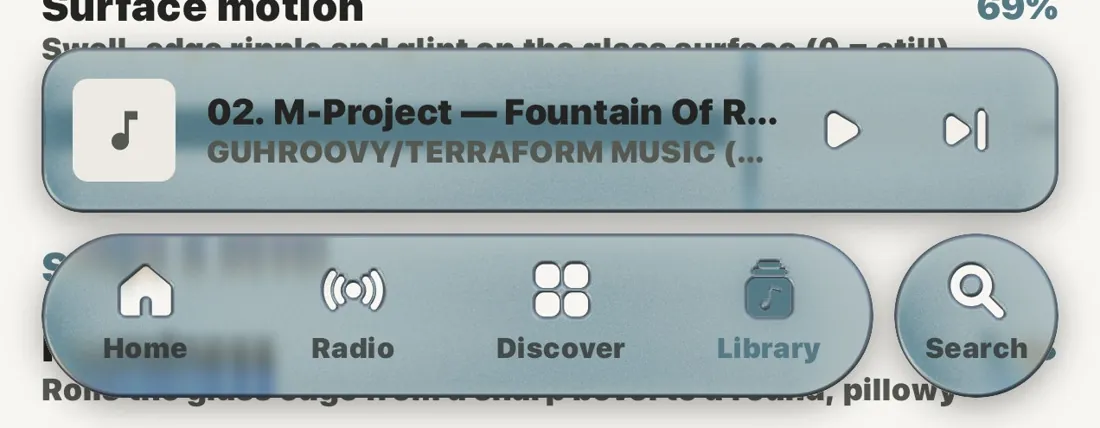
- New Liquid glass. The mini player, nav bar, search bars and panels bend what is behind their edges, like real glass.
- New Glass themes: Float, Opal, Ripple, Glint, Blurred and Frosted Ripple, tuned on device, then Clear, Tinted, Tilt, Pure, Droplet, Prism, Bubble, Mercury, Ice, Halo, Aurora, Dusk and Holo, in Player Visuals Studio. Float is the new starting look; glass you tuned yourself is kept.
- New Shadows under the bars, matching the play button's.
- New A font browser (Settings › Fonts). Every font is drawn in its own letters and previewed on your own text before you use it. Imports are checked first, named after the font, and never overwrite another.
- Changed One clean glass edge instead of a double rim.
- Changed The mini player matches the nav bar's glass. Its text and cover still follow the album.
- Changed Song titles get the whole line, with artist, album, source and quality underneath.
- Changed Every pill and button is real glass, from the UI panels settings in Player Visuals Studio, and follows its sliders. They were faint flat slabs before.
- Changed Text on glass reads on the glass: light on dark glass, dark on light glass, worked out from the glass rather than the theme.
- Fixed Low performance mode is flat. With Remove liquid glass on, bars and panes are solid instead of see-through.
- Fixed Glass buttons spring back instead of staying half pressed after a tap.
Now playing
 |
|
 |
|
 |
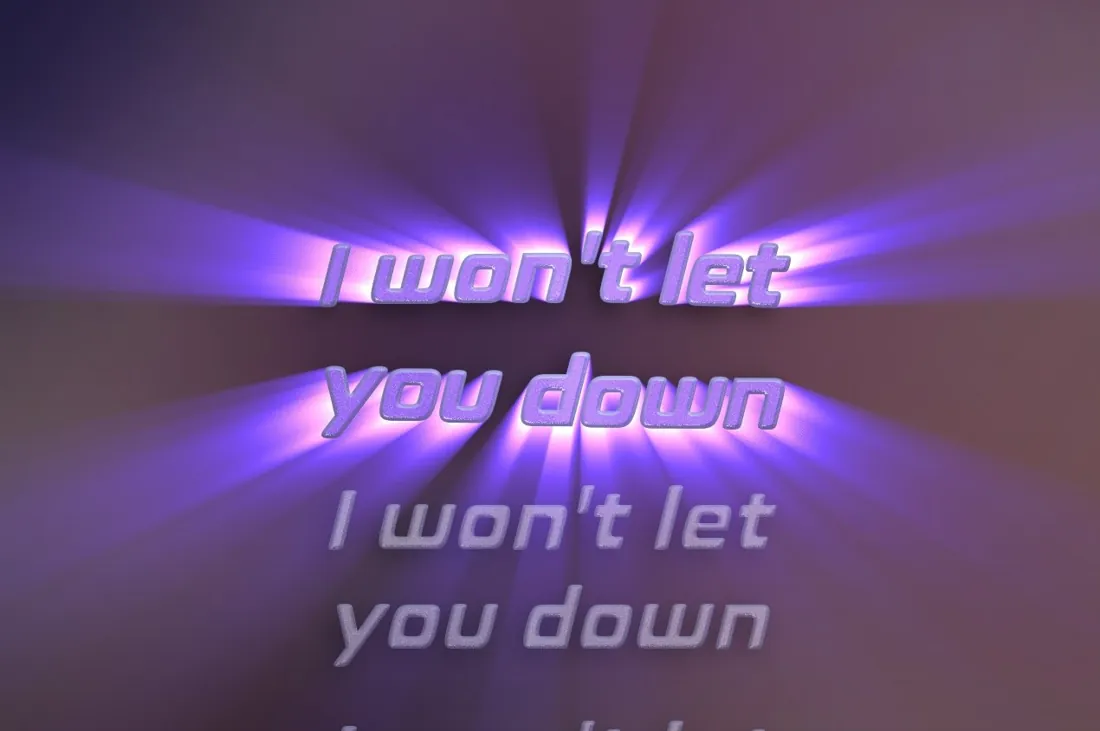
- New God rays on the lyrics. Light streams from the sung line, or from behind it through the letters, and runs on under the player's glass. Aim it, follow the sung word, add dust, a beat flare, an orbit, sway or tilt in Player Visuals Studio › Lyrics. Off until you turn it on.
- New Lyrics in any glass, from the player's glass settings or your own. With god rays on, the letters catch the light.
- New Nine lyric looks: Sunburst, Cathedral, Eclipse, Daybreak, Searchlight, Spotlight, Crepuscular, Mercury and Sea Glass.
- New A glass play button and dock.
- New A Lyrics button on the legacy player.
- New More karaoke lyrics. Every source is asked at once, with lrc.red, LyricsPlus and the AMLL library added, and word-by-word timing wins over line timing. NetEase finds lyrics again.
- New Bigger lyrics, up to 64 sp. Long words stay whole instead of breaking between letters.
- Changed A soft lyric shadow on the background, instead of a dark copy behind every letter.
- Changed The Studio preview beats with the song, and is still while it is paused.
- Changed A shorter Studio. Each slider is one compact row, with its explanation a tap away.
- Fixed The legacy player fills the screen: controls at the bottom, the art as big as it fits.
- Fixed Lyrics keep time at any playback speed, Bluetooth delay included, and the karaoke highlight no longer skips syllables.
- Fixed The lyrics sheet follows your lyric settings: your font, size and Bluetooth delay.
Discover
 |
 |
 |
- New Today's discovery. One genre a day, next to the ones you play and new to you, with Play, Radio and Keep. Beside it, the genre of the day with its history.
- New Choose TIDAL, Qobuz or Deezer with a switch at the top. Every shelf, chart and pick comes from that service.
- New Swipe to discover. A stack of 15 songs a day, each playing as its card comes up. Right keeps it in Liked songs, left skips it, and the mini player holds skip, undo and keep while the deck is open.
- New Release radar. New releases from the artists you play most, with a NEW badge on what came out since your last visit.
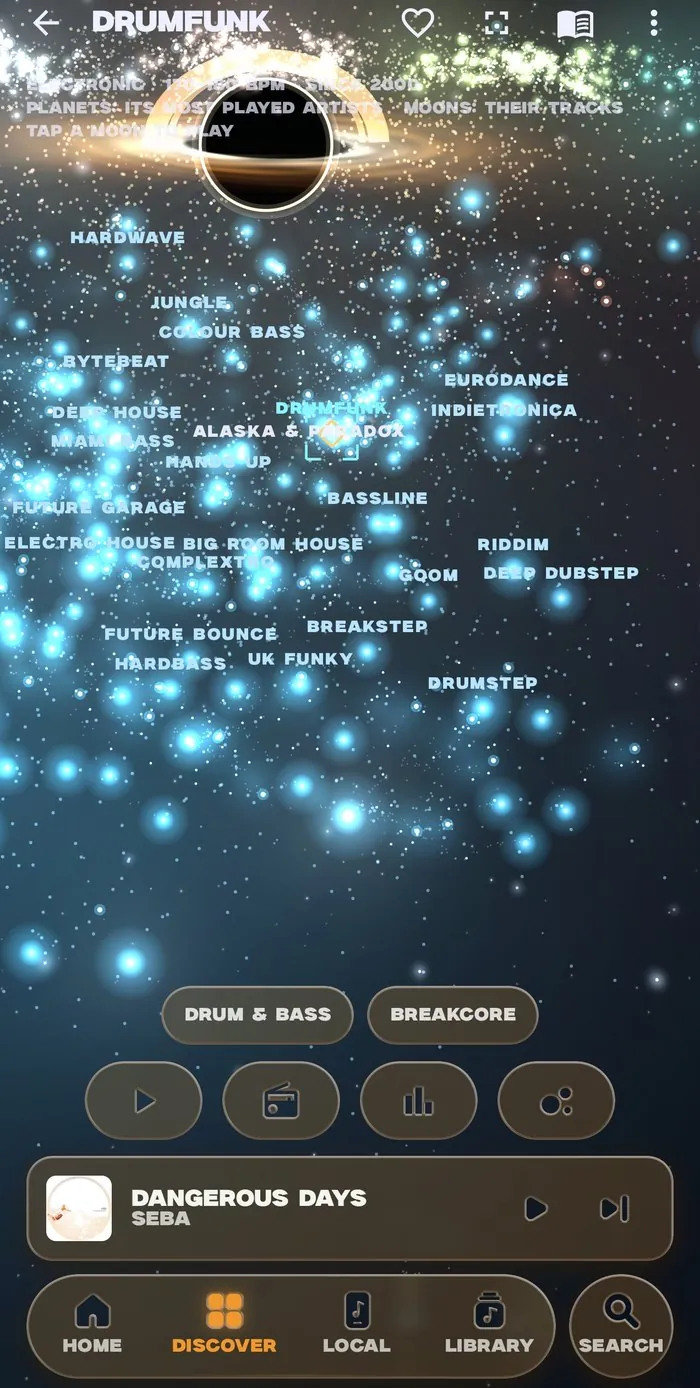
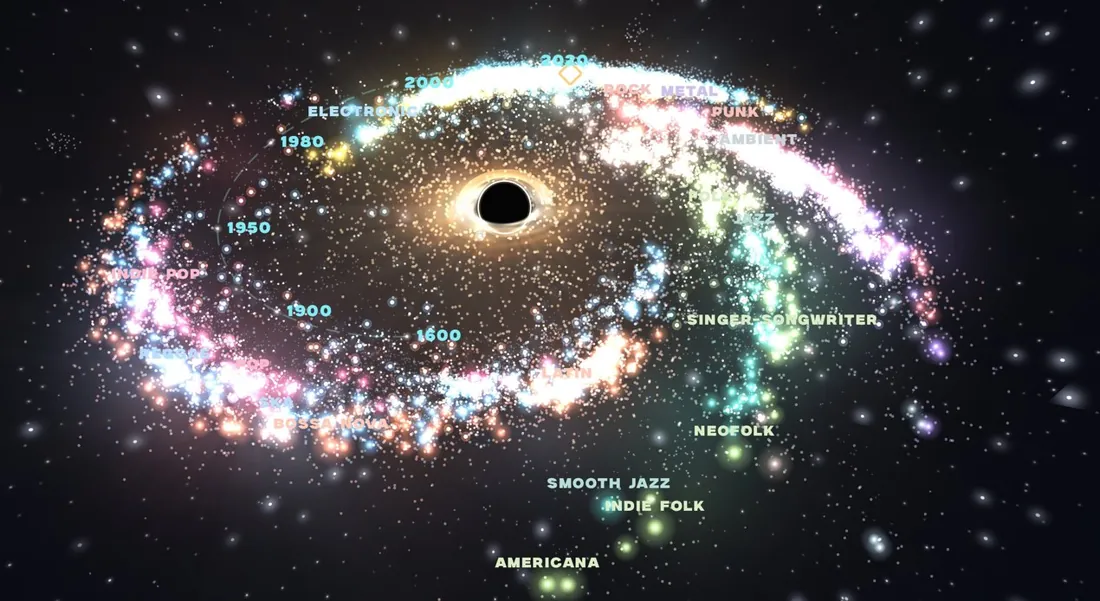
- New The genre map is a galaxy. All 771 genres are stars you can fly through in 3D, around a black hole, with god rays and gas that moves with the music. Lay it out by family, or as a timeline spiral with the oldest music at the core.
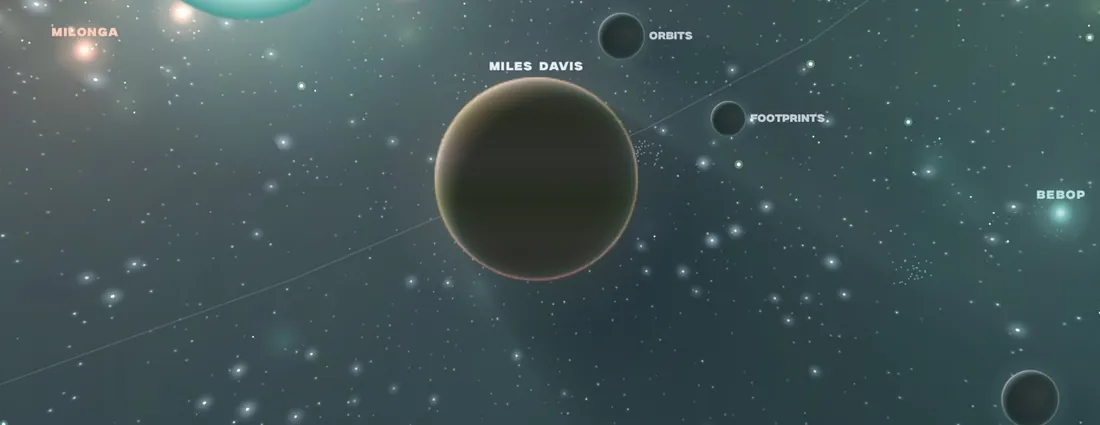
- New Planets and moons. Stop on a genre and its top artists orbit as planets, their tracks as moons. Tap a moon to play it, long-press a star to play it and list its system, and turn the phone sideways for full screen.
- New Tune the galaxy from the map: sky, core, rays, motion, music and stars, with a reset back to how it ships.
- Changed Less pinned above the feed. Sort scrolls with it, and Genre map and World radio are cards between the shelves.
Radio
- Changed A style, three dials and three switches instead of eleven numbered sliders. Pick Familiar, Balanced or Adventurous, then fine-tune. Stations you never tuned play exactly as before.
Playlists
- New Repair and Regenerate. Repair relinks songs that play the wrong song. Regenerate finds every song again on TIDAL, Qobuz or Deezer. Downloaded songs, and songs with no sure match, are left alone.
TIDAL
- New Dolby Atmos badge on songs and albums with an Atmos mix. The Atmos switch is also in Settings › Audio now.
- Fixed Playlists open, ready to play, though they can't be edited here.
- Fixed Search finds artists, albums and playlists, and artist pages, lyrics and radio work.
- Fixed Songs play instead of skipping on servers signed in with your own TIDAL account.
Playback
- New Play alongside other apps (Settings › Audio), instead of pausing for every sound.
- Changed Quality per service. TIDAL, Qobuz and Deezer each stream and download in a quality of their own, set with the Streaming | Download switch.
- Fixed Skipping songs no longer crashes, which happened most in Atmos and surround playlists.
- Fixed 16-bit FLAC on hi-res output no longer plays as loud, fast static on some phones.
Equalizer
- New AutoEQ per device. Assign a preset, or AutoEQ off, to the speaker, wired, Bluetooth, USB or one named device, and it switches in when that output connects. Outputs nobody assigned leave the EQ alone.
Mixer
- Fixed The mixer opens on smaller phones, like the Galaxy A35. Its knobs shrink to fit instead of closing the app.
Exclusive USB DAC
- New A volume for USB DACs, on the player and on the volume keys, even with the screen locked.
- Changed DACs start quiet, at −24 dB with a short fade-in, and move in click-free 2 dB steps.
- Fixed Volume works at 24 and 32 bits, and full volume stays bit-perfect.
- Fixed DAC volume stays with the DAC instead of turning down the app's own volume, which is set back to full once on this update.
Downloads
- New Artist / Album / Track folders, with one cover.jpg per album.
- New Dolby Atmos downloads from TIDAL as .m4a, and the rest as Hi-Res FLAC.
- Changed Downloads opens at once, with proper titles and covers for files you added yourself.
- Fixed Hi-Res falls back to CD when your server can't join TIDAL's pieces.
- Fixed No half-files left behind, and names starting with a dot stay visible to other players.
Library
- New Better folder browsing: more sorts, a tappable path, and Play or Shuffle a folder with everything inside it.
- New Titles from file names (Settings › Library), for files with wrong tags.
- Fixed Singles stay with their album. Rescan to regroup.
- Fixed Folders play in their real order: album, disc and track, then file name.
- Fixed Folders keep up with your files. Songs you add, delete or move show up by themselves, including changes made while the app was closed, and a rescan finds new songs Android had not noticed.
- Fixed Rescans run to the end after you leave Settings or the Library.
Account sync
- Fixed Your plays reach your account, including songs played with the screen off. Plays that never made it upload the next time you open the app.
- Changed Less background data. Changing the visualizer's preset no longer uploads your settings.
The app
- New Crash reports are saved to Downloads for bug reports, and can be switched off in Settings › System › Diagnostics.
- Changed Less battery in the background. Visualizers, music analysis and the glass's tilt sensor stop while the app is hidden or the screen is off.
- Fixed Album and artist pages stop crashing.
Tryptify 1.9.2
2026-10-21
This release is mostly about finding your way and seeing what you hear: a glass nav bar on every page, a spectrum that shows the last few seconds of the song, and loudness meters for what leaves the player. Deezer joins search, and the player does less work while it plays. Tryptify now speaks seven languages, the visualizer no longer crashes, and the download is 31 MB smaller.
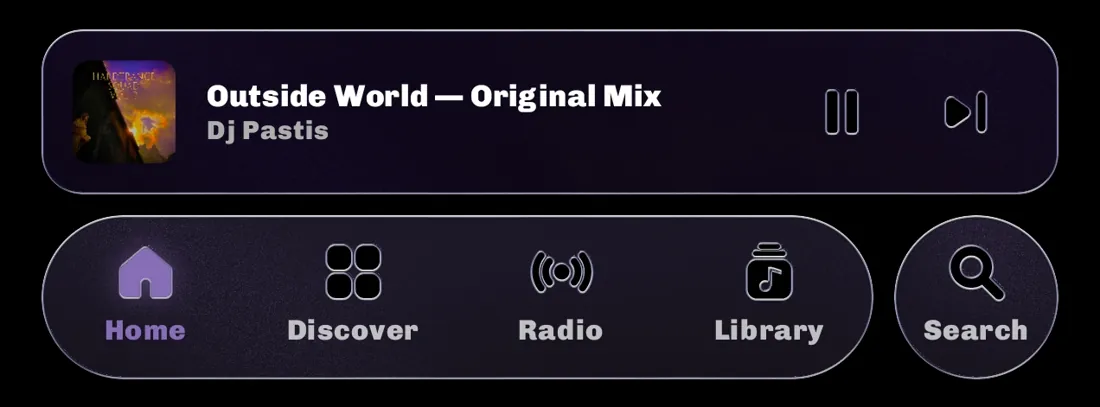
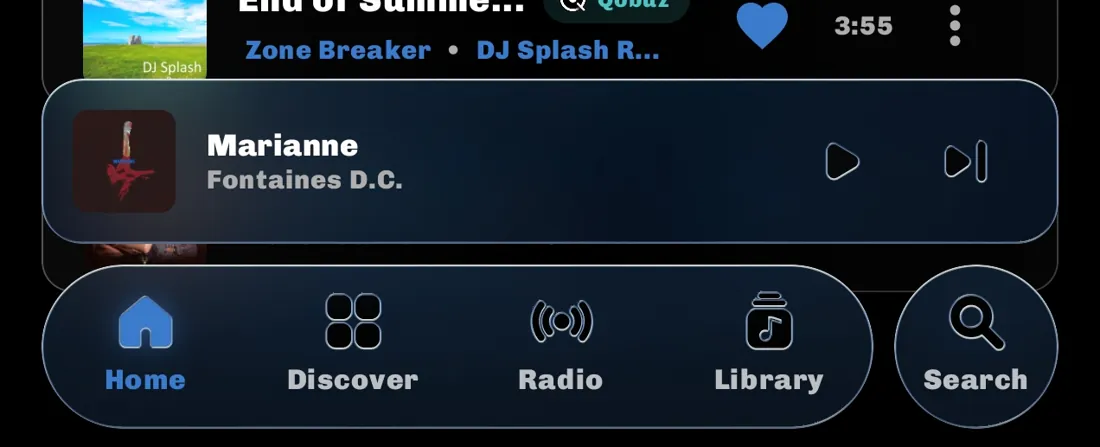
| | | | |:---:|:---:|:---:| | 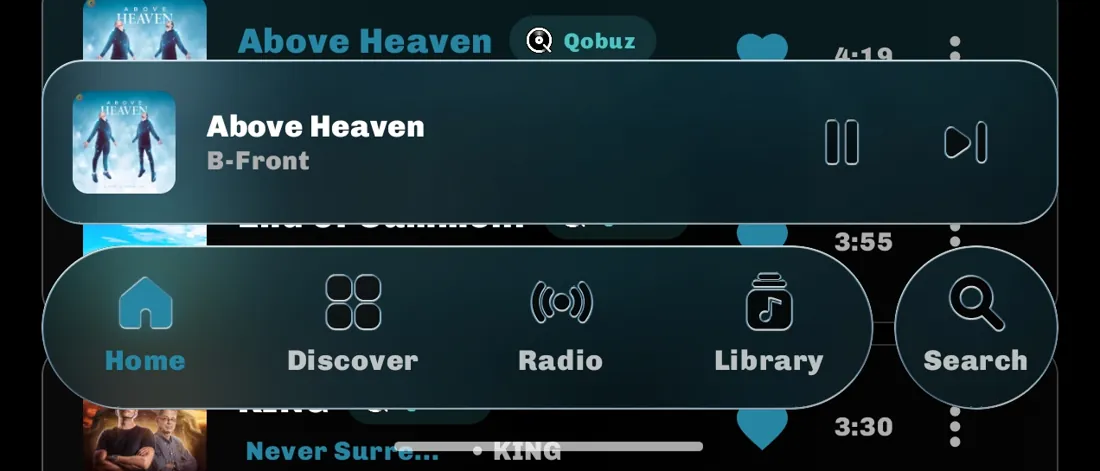 |
|  |
|  |
|
Each change is marked New, Changed, Removed or Fixed.
The app
- New Seven languages. English, Simplified Chinese, Japanese, French, Spanish, Turkish and German. Choose one in Settings › Appearance › Language, or in Android's own app languages list on Android 13 and later. Nav bar labels shrink to fit rather than being cut off.
- Changed A 31 MB smaller download. The visualizer's 9,795 presets were packed into the app twice.
Navigation
- New A glass nav bar on every page. Home, Library and Search sit in one bar at the bottom with two pages of your choice between them, tinted by whatever is playing. Scroll down and the mini player folds into it; scroll up and it comes back.
- New Choose the nav bar's buttons. The two between Home and Library can be any of Discover, World radio, Playlists, Local, Favorites and Downloads, in Settings › Library › Nav bar. A Library section with its own button leaves the Library button free for the rest.
- New Nav bar or mini player, not both. Turn on Hide mini player when the nav bar shows, in Settings › Library › Nav bar, and the bar switches between the nav bar and the mini player as you scroll. Tap the page you're on in the bar to bring the player back on a page too short to scroll.
- New New Home, Library and Search. Home shows Recently Played and Liked Songs, Library switches sections with chips, and Search is a page of its own.
- Changed The Search button presses like the rest of the nav bar. Its glass swells under your finger instead of dimpling.
- Fixed A fast double back no longer blanks the screen. Local songs also open their own artist and album.
Player and spectrum
- New The spectrum falls back in time. The bright front line on the album art is what you hear now, and older lines recede, rise and fade behind it like a mountain range. Choose Lines, Ridgeline, Heat or Neon, and set the depth, fade, angle and line weight in Player Visuals Studio.
- New Glass and Legacy spectrum styles. Glass draws the spectrum as one line of liquid glass that bends the cover beneath it. Legacy brings back the filled spectrum from before the waterfall.
- New Analyse the spectrum like a studio meter. Choose Live average, Live max, Average or Max, set the averaging time and the overlap with knobs, and draw the line in the album's colour or one you pick.
- New Tune the spectrum with your finger. Drag the Studio's preview up and down for the angle and sideways for the depth, pinch for line weight, or drag the fade line itself. It runs on a demo signal when nothing is playing.
- New A frame rate cap for the spectrum. Draw it at anything from 15 to 120 fps, or every refresh. Vsync keeps the frames evenly spaced; with it off you get the exact rate.
- New Wave Candy and the kick punch. An FL Studio style oscilloscope runs along the bottom of the cover, and the cover jumps on every kick drum.
- Changed Visual Studio opens in one tap. Its chip in Settings goes straight to the Studio.
- Changed The player does less work. The spectrum no longer redraws the whole player many times a second, it stops when playback pauses, and only one settings preview runs at a time. The glass no longer keeps the motion sensor on when nothing uses it.
- Fixed The waterfall spectrum no longer slows the player down. It is drawn in one pass instead of thousands of small shapes a frame.
Visualizer
- Changed Default Preset opens the preset browser. The setting used to be one menu of all 9,795 presets. It now opens the same glass browser as the player, with categories, authors, favourites and search.
- Fixed The visualizer no longer crashes the app. Presets that use pictures Tryptify doesn't ship crashed it on their first frame. All 9,795 now load. If one ever crashes your phone, it is flagged and skipped from then on, and you can clear the flags in the Studio's visualizer settings.
Audio and mixer
- New Loudness meters. The Audio Pipeline panel has a Loudness stage with Momentary, Short-term, Integrated, Loudness Range and True Peak, to the broadcast standard (EBU R128). The mixer's master strip shows Short-term and Integrated; tap it to start Integrated over.
- New Route any bus to any bus. Up to 48 buses, with cables and send knobs, and a preset that spreads stereo into 9.1.6 surround.
- Changed Mastering style mixer presets. The master sits at 0 dB with a limiter last. Tap a strip to select it, and again to open it.
Playback and speed
- New Tempo in BPM. Each song's tempo is measured once a few seconds in, and speed can be set in BPM. Tap the BPM to measure again, or long-press it to type the song's tempo if the reading is off. Push the bar under it to bend the tempo like a turntable.
- New Crossfades on a USB DAC. Crossfade now works while Tryptify drives your DAC directly, across sample rates.
- Changed TIDAL asks before falling back. When TIDAL can't play a song, you choose whether Qobuz plays it, instead of the player switching quietly.
- Removed The Nightcore button is gone. Use 1.10x with Preserve pitch off for the same sound.
- Fixed Crossfades no longer drop out. The start of a fade could cut the sound for a moment, and speed and pitch now carry through it.
Search and catalogs
- New Deezer in search. Find Deezer's songs, albums and artists, and play or download them in full as FLAC or MP3 320.
- New Every result says where it is from. Songs, albums and artists show their catalog, and the player says "via" when a track plays from a different one.
- New One list of APIs. Add a server once and Tryptify works out which catalogs it serves. It replaces the catalog picker and the URL fields.
Library
- Fixed WAV files play and show properly. Float and 8-bit WAVs play correctly, their tags and covers show, and files named "Artist ~ Title" fill in the artist.
Tryptify 1.9.0
2026-10-21
This release is mostly about your account: what you change on your phone now reaches your account, and your account no longer quietly undoes it. Downloads also come out properly tagged, with their cover inside.
Changed
- Deleted things stay deleted. Unliking a track, deleting a playlist or taking a song out of one could undo itself on the next launch, because the delete never reached your account. Each change is now held until your account confirms it.
- Changes made offline catch up. Favourites, playlists, and EQ and mixer presets edited without a connection are sent once you are back online. Before, favourites and playlists only went up when you pressed Sync, and presets got one try.
- Devices no longer wipe each other's settings. Saving settings from one device used to erase every setting it did not have itself. Each device now only adds or changes what it touched, and a setting changed offline is not undone at the next launch.
- Signing in keeps trying to restore your settings. If fetching your settings fails, the app retries instead of carrying on with the device's own, which could then overwrite the copy saved to your account.
- Waiting changes stay with their account. A change that has not gone through yet is only ever sent to the account it was made under. Switching accounts before it does will not hand it to the other one.
- Downloaded FLACs carry their own tags. Title, album, track and disc number, album artist, year and genre are written into every downloaded FLAC, so players like Auxio or Symfonium file it under the right album, in order.
- Cover art is inside the file. Each downloaded track has its album cover embedded, as well as saved beside it. TIDAL downloads were getting no cover at all and get one now.
Known limitation
- A delete on one phone can still come back from another. If a second device presses Sync before it has picked up the delete, it uploads its own copy again. Fixing that needs a change on the server side.
Tryptify 1.8.9
2026-10-21
New
- Exclusive USB DAC output actually works now. UAC2 exclusive mode was already in the app, but it never delivered what it promised. Tryptify now drives the DAC itself, so audio skips Android's mixer and its resampler entirely. The DAC runs at the file's own rate and gets the samples untouched.
- 24-bit and hi-res reach the DAC. Up to 96 kHz at 24-bit, packed into whatever subslot width the device asks for. Everything was being flattened to 16-bit before.
- The mixer and EQ run on 24-bit files. On a 24-bit or 32-bit track the whole DSP chain used to drop out with no sign of it: the mixer, both EQs, the spectrum and the visualizer's audio all stopped while the music kept playing.
- Speed and pitch work over the DAC. Semitone shift, and varispeed where pitch rides the tempo the way a record does. Both took effect everywhere except the DAC.
- The headphones button shows the audio pipeline. What is happening to the track, stage by stage: its format, the decoder, the rates in and out, the DSP, and where it lands.
- MilkDrop can play behind the music, not instead of it. The ambient visualizer draws the preset into the album background, over the blurred cover and under the controls, rather than replacing the artwork.
- Preset controls on the player. Back, browse and next sit across the artwork while the ambient visualizer is running, and fade out once you stop using them. Tap the artwork to bring them back.
- The glass bends your artwork through it. With Blurred Album Background on, the transport, the dock and the panels refract the cover itself rather than a tint standing in for it. The mini player carries it too, along the whole bar.
- Wide Stage joins the shipped mixer presets. A wider image without the hollow middle that usually comes with it.
- Home is the list of pages, and World radio is one of them. Pick a page instead of swiping to it. Next moves down the city's stations.
- Browse by album artist, composer or year. Local opens on a list of those instead of five swipes. Drag the scrollbar to move through a big library, and the track playing is coloured in the list.
Changed
- Visual Studio is a settings page of its own. Glass, themes and the player's look live together, and colour transitions no longer run for seconds.
- The Visualizer chip turns the ambient one on and off. It used to hand you the square visualizer on the second tap, and leave the ambient setting switched off behind it.
- Folders show your music, and open where it is. Clear All Downloads says what it will delete, and sending a file works for music on your phone.
Fixed
- Changing track no longer freezes the audio. Every track change was loading the whole file into memory looking for cover art. On a large WAV that stalled playback for seconds at a time.
- The glass is smooth again. The artwork behind it was being sampled as flat blocks of colour, worst on the mini player and the Audio tools sheet.
Tryptify 1.8.8
2026-10-21
Changed
- One list for every page you swipe between. Settings › Library › Page Order holds all seven, Discover included, and any of them can go anywhere.
- Any page can be hidden, and keeps its slot for when you switch it back on.
- Discover has a Settings button.
- "Enable Equalizer" is now "Enable AutoEQ/Equalizer", which is what that switch has always covered.
- System-wide AutoEQ is a beta sub-toggle under it now, with a warning: it swaps the app's exact correction for a coarser global one, and some devices ignore that entirely.
Fixed
- Turning the equalizer off now stops System-wide AutoEQ. It used to stay attached and running.
- Every list row is the same height, at any text size.
- "Local" can finally be moved. Its arrows in Settings had never done anything.
- Your page order carries over on upgrade. Each page keeps its own scroll position now, so those reset once.
Removed
- The light sheet that swept across the glass, on every surface it appeared on. Face swell, edge shimmer and the glint stay.